# 壹贰入木 / 具有中国传统美学意境的家具品牌 - ID: 220 - URL: https://www.stoyard.com/works/220 - English URL: https://www.stoyard.com/en/works/220 - Year: 2017 - Cover: https://static.glabcms.stoyard.com/object/20180601/tg1wva4fqsb.png - Categories: 行业领域:建筑与设计 - English Categories: Type of industry field:Design & Architecture - Author: STOYARD - English Author: STOYARD - Publish: 2018-08-21 - Editor: STOYARD BEIJING - External Link: http://yierroom.com ## 中文主体 ### 项目简介 壹贰入木是一家在继承传统审美和技艺基础上的现代家具设计品牌。通过线条的微妙变化和精致的细节处理营造有深度的视觉空间。把审美融入生活,让家具提供温馨,对生活发生兴趣。  壹贰的所有产品分为三个大类:生趣、抱朴和不器,分别对应青年、中年、老年三个客群。每个大类中又分7个小类:桌、椅、柜、几、架、床、物。每个小类中又有若干物品不等。我们对这85个产品的显示方式进行了仔细考量,最终采用了目前的方式。进入网站后,要先选大类,进入首页后可以首页底部栏重新选择大类,小类切换栏设置在页面顶部,同时左侧显示大类标签作为标识。用户在页面左右两侧点击也可以切换不同小类;该类目下的所有产品出现在底栏上方,随类目切换而变。   鼠标悬浮在产品名称上方,其他信息会隐藏,出现该产品从模糊到清晰的加载过程。加载结束,产品大图也就清晰呈现了。再点击产品名称,可以进入产品的详情页。  我们也为壹贰进行了移动端的适配。移动端页面空间有限,所以我们将网页端的底部栏去掉,用户可以通过点击左上方的大类标签进入新的页面重新选择大类。点击中间的汉字可以进入该类目下的产品列表,再点击产品图片可以进入详情页。 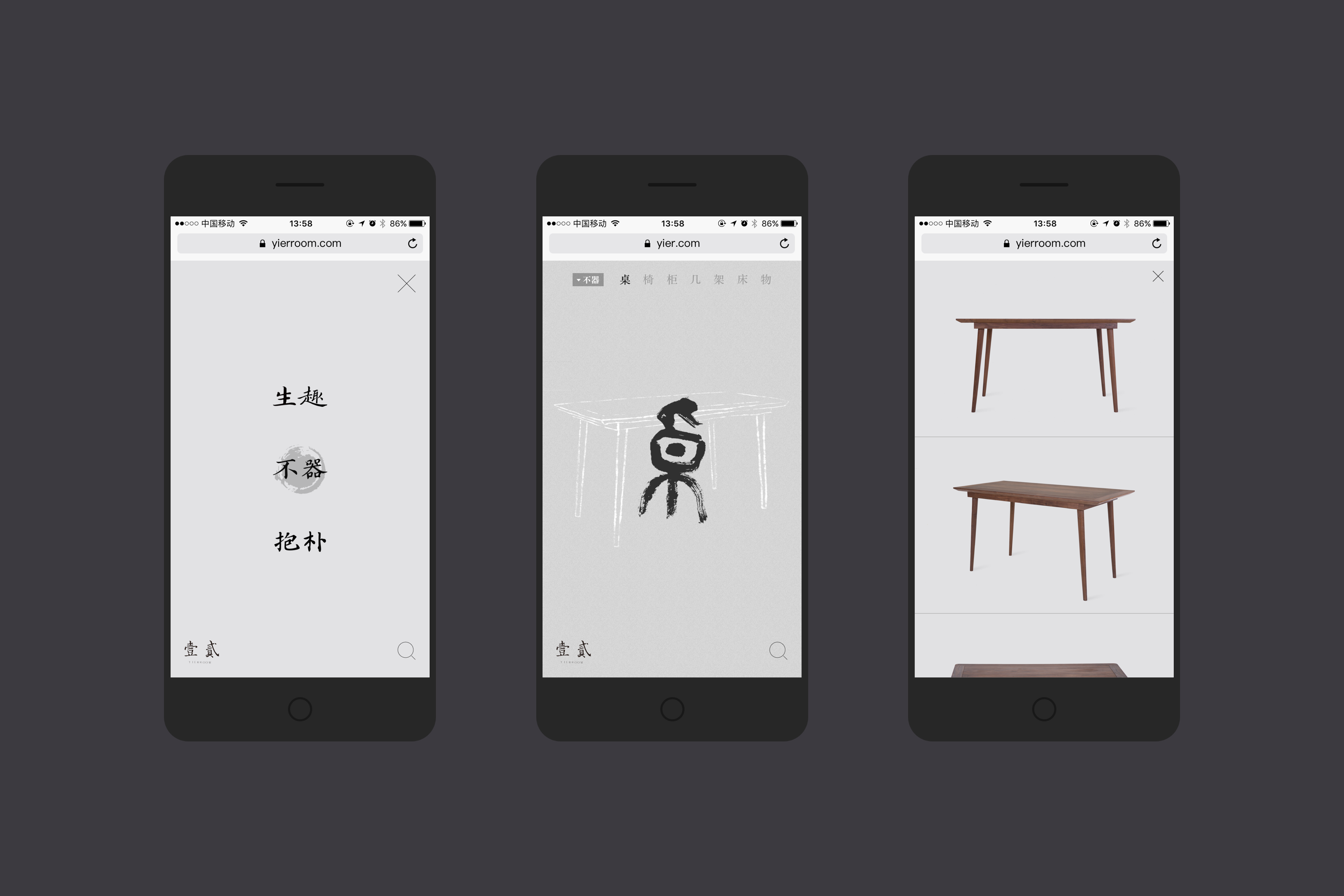 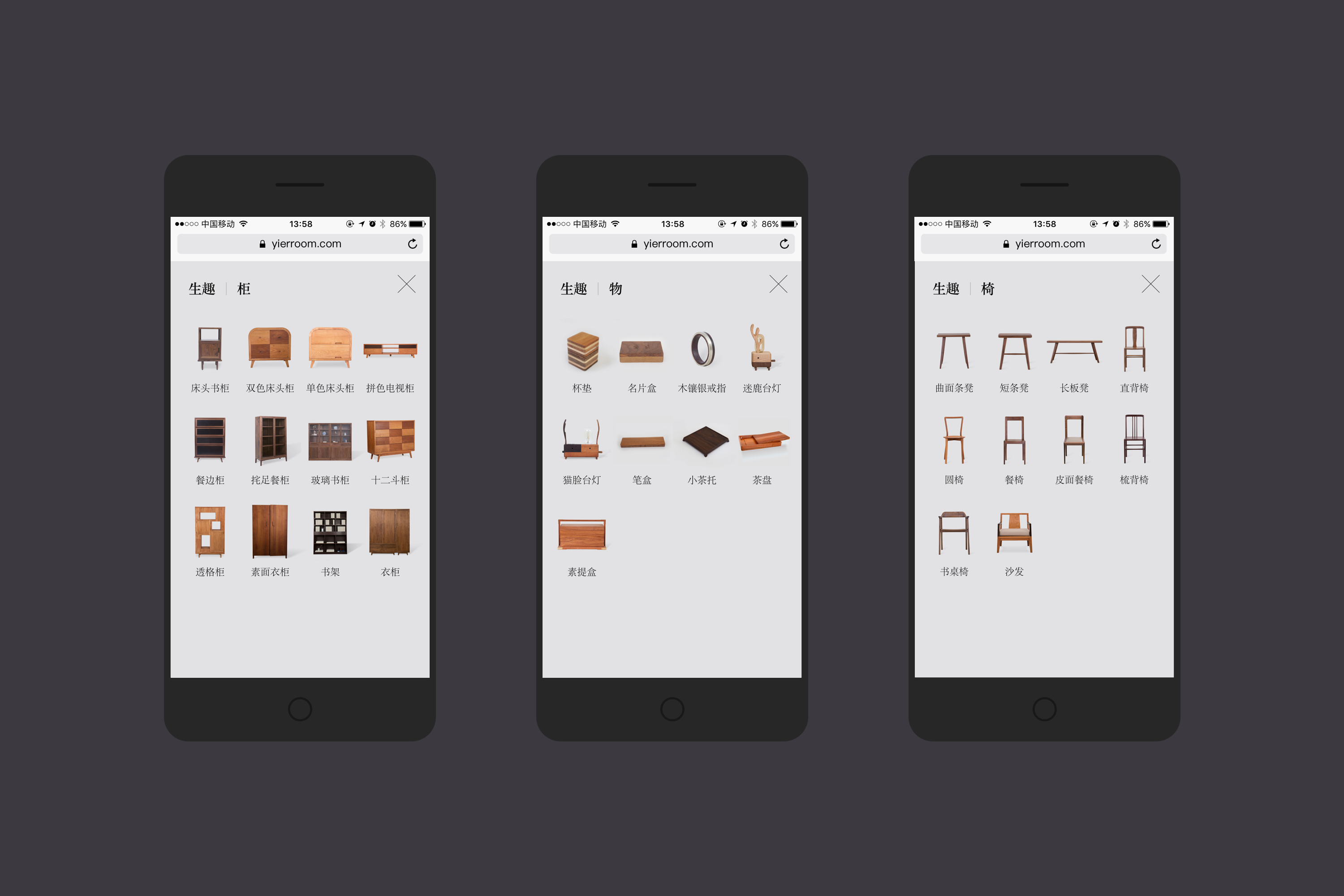 ## English Content ### Introduction YIER Wood Room is a modern furniture design brand that inherits traditional aesthetic and techniques. It builds a visual space with depth by subtle changes and delicate detail processing. YIER makes you have interest in life.  Remark all of the products can be divided into three broad categories: life, embrace park, and not, respectively corresponding to three guest group of youth, middle age and old age.Each of the categories and points seven small classes: desk, chair, ark, a few, frame, bed, content.Each small class and there are a number of items.Us to the 85 products display mode to carry on the careful consideration, finally adopt the way now.Enter the website, to choose categories, can enter the home page after page at the bottom of the column to select categories, small class switch bar set at the top of the page, and on the left side of the display categories as identification tags.Users in the left and right sides of the page click also can switch different small classes;This class contains all of the above products appear in the bottom bar, along with the category switch.   Mouse suspended above the product name and other information will be hidden, appear from fuzzy to clear the loading process of the product.A larger load end, the product is clearly presented.Then click the product name, can enter the product page for details.  We also move the adapter for the remark.Mobile page space is limited, so we will be at the bottom of the page on the bar, users can click the categories TAB in the upper left new pages to select categories.Click in the middle of the Chinese characters can enter the class now product list, then click on the product pictures can enter the page for details.  